
Please wait a little bit, we are fetching the blogs from the database ....
Please wait a little bit, we are fetching the blogs from the database ....
Well, It works on my machine!!. you probably have heard this before in your software development journey. The packages and dependency needed to run different applications will be different. and since developers use different machines with variety of OS and packages installed, its quiet hard to run all these apps in a same machine.
Docker bring many facilities to the table which includes containerizing an application, setting up development environment in minutes and many thing more. Hence learning docker is essentially a good skill to master.
Lets start with what is a docker image.
Docker image is a file with a set of instructions to create a docker container. its like a template to create a container. A Docker image has everything needed to run a containerized application, including code, config files, environment variables, libraries and runtimes and also the operating system. how cool is that !!.
Docker container is a runnable instance of an image.
The basic idea of docker and VMs are same since both provides and isolated environment separate from the host environment. but there are differences among them. Docker is a layer above the host operating system which helps in running containers. this is similar to that of VM which has a layer called hypervisor which helps in creating VMs.
coming to the key differences between them, they are -
Enough theory, You can explore more theory on the internet, As I would like to keep this blog more practical so everyone can use docker right away. Install docker in your computer from
Docker: Accelerated Container Application Development
Lets say you have an application ( for example a Next.js application) which you want to containerise. so the first thing to do is create a image for the application.
to create an image, create a file named dockerfile (NOTE : There is no extension for this file) in the root of your project. This is where we write our instruction to create the image.
I will give a idea for you to create an image. There are some commands used to write the dockerfile.
Here is a list of some common Dockerfile commands and their uses:
FROM: This command specifies the base image that your image will be built on. This will be the first command in a docker file, it basically selects the operating system or runtime for the application.COPY: This command is used to copy files from the host machine to the Docker image.RUN: This command is used to run shell commands within the image. this is basically used to install the dependencies after copying the files.CMD: This command provides defaults that can be overridden by command line arguments when the Docker container is run.ENTRYPOINT: This command allows you to configure the container to run as an executable.ENV: This command sets environment variables within the image.EXPOSE: This command informs Docker that the container listens on the specified network ports at runtime. As the container is an isolated environment, if we run the application inside the container (suppose application is running at localhost:3000) when we go to that corresponding address there wont be anything. so we need to expose a particular port of the container.WORKDIR: This command is used to set the working directory for any subsequent ADD, COPY, RUN, CMD, or ENTRYPOINT commands.VOLUME: This command is used to create a directory within your image that can be used to store data.Don’t get afraid of this terms above. believe me its very simple once you try to use it.
Take a look at the code given below
FROM node:20-alpine
WORKDIR /app
COPY package.* ./
RUN npm install

COPY . .

EXPOSE 3000
ENV NEXT_PUBLIC_GITHUB_TOKEN=ghp_5RVeIxxxxxxxxxxxxxxxxxxxx

CMD npm run dev
here I have taken a base image of alpine OS (which is a lightweight OS) with node 20 installed. so this becomes my environment for my application.
Then I have set the working directory to app (This is a standard practice). Remember this directory is inside the container.
COPY package.* ./ means copy every file starting with package. to current working directory of the container.
COPY . . means copy every this in the current working directory of host machine to current working directory of the container.
Now you can see copy package.* ./ and copy . . in the code above. Its actually an interesting concept in docker, which you should know. Its given below -
if there is change in the actual files of the project then all the commands will be re executed.
so in most of the changes would be in the files of the project and we would not install any dependency frequently. so while rebuilding the image , the below lines will be used from cache -
FROM node:20-alpine
WORKDIR /app
COPY package.* ./
RUN npm install
This is huge advantage. as we would not need to copy the packages again and install the packages again. All the below commands will be re executed as there is change in some of the files.
Now to build an image from this docker file, open the terminal where docker file is present and run docker build -t firstapp . : the -t flag is to name your image.
You can go to docker desktop (In mac or windows) and check in the images tab if such a image was created or not
Now since we have created. to Run the image you can run the following command in the terminal
docker run -p 3000:3000 firstapp : -p flag is to map the 3000 port of host machine to 3000 port of the container.
And you are all set to go. Visit localhost:3000 to see your app running.
here are the list of some use cases of docker
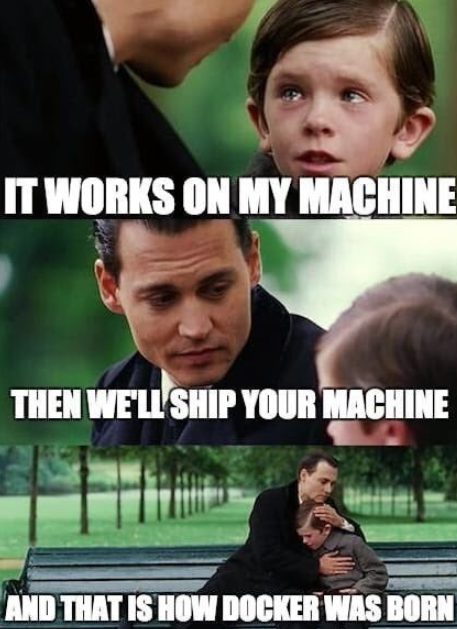
Here are some funny memes related to docker.

This was a brief intro to docker. as I taught you what is docker, how to create an image for your application and how to run that particular image.
more on docker is coming stay tuned !!.